

How to Boost a TikTok Video After Posting and Get More Views

Last Updated: Feb 25, 2026
TikTok GrowthYou already posted your TikTok video. Not a draft, not just an idea – the real deal. It’s live in the feed, getting views (or barely any), and definitely not how you imagined. Unfortunately. So, right now, your focus isn’t “how to shoot better next time,” it’s what to do with this video.
Good news: in 2026, TikTok doesn’t work like “if it flops, it’s dead.” Bad news: your video won’t magically restart on its own. It needs a push, the right kind.
So let’s dive into how to boost a TikTok video after posting.
Why TikTok Videos Often Need a Second Push
Even a solid video can flop on the first try. That’s normal, not a glitch.
First off, TikTok always tests your video on a small audience. It could be a few hundred or a few thousand people. If they react with just “meh,” the algorithm won’t push it to more viewers.
Second, timing. Even if you posted at the “perfect” hour, some of your followers just weren’t online. TikTok doesn’t show every video to every follower.
Third, niche competition. In 2026, TikTok is overpacked with content, so even a great video can get lost in a sea of similar clips.
And here’s a big one – the first 30–60 minutes matter. If your video doesn’t get enough signals (full views, comments, saves) during that window, the algorithm pauses, not deletes. So the logical question is: the video’s already live. Can you give it a second chance?
How Long Does TikTok Keep Testing a Video?
TikTok does not stop distributing a video immediately if it underperforms. Most videos are tested in waves.
Here’s how it typically works:
- First 30–60 minutes – Initial small audience test
- First 24 hours – Extended testing if engagement is decent
- 2–7 days – Secondary push if engagement improves
- Weeks later – Possible revival if external traffic or new engagement appears
TikTok can resurface older videos if they suddenly start receiving comments, saves, or shares. That’s why boosting a video after posting can still work – the algorithm never fully “kills” content.
Can You Boost a TikTok Video After Posting?
Yes, you absolutely can. There are a few ways to give your video a second chance and show it to a bigger audience. Basically, all methods fall into three groups:
- Organic actions inside TikTok – Everything you do without spending money: update your caption and hashtags, reply to comments, or add a pinned comment with a question.
- Strategic steps without ads – Smart content moves: make a Part 2 or a remake of the video, repost with a new hook, tweak your caption or pinned comment to strengthen the first few seconds.
- Paid tools – Like TikTok Promote or growth services that help your video get views faster and reach new audiences.
Key point: boost ≠ ads. Boost is a set of actions that give the algorithm new signals: people like, comment, save, and watch your video to the end. The more signals, the higher the chance TikTok will show your video to a fresh audience.
Organic Ways to Boost a TikTok Video After Posting
This is the foundation. Small tweaks can make a big difference in how TikTok shows your video to new viewers.
Optimize the Caption and Hashtags
Your video caption isn’t just a formality. In 2026, TikTok actually use the text to understand what your video is about. If your caption is vague or meaningless, the platform won’t know who to show it to.
After posting, you can:
- Clarify the topic in one clear sentence
- Add keywords people are actually searching for
- Remove unnecessary or irrelevant hashtags
3–5 precise hashtags work better than 15 general ones. A trending hashtag only helps if your video is really about that trend. For example, if #QuickRecipe is trending and your video is about a simple breakfast, adding that hashtag tells TikTok your video fits the trend. But if your video is about fitness and you just threw in #QuickRecipe, it won’t help at all.
In 2026, TikTok acts more like a search engine. Instead of writing vague captions, use phrases people actually search for (e.g., “how to grow on TikTok in 2026” instead of “watch this”).
Drive Early Engagement Manually
Comments are one of the strongest signals TikTok looks at. If your video is getting crickets, you can jumpstart engagement yourself by replying to every comment. You can also pin a comment with a question to spark a conversation (just keep it real, no clickbait!).
Once a dialogue starts under your video, TikTok sees that people like it and starts testing your video on a wider audience again.
Share the Video Outside TikTok
External traffic still matters. When people click over from Instagram Stories, DMs, or messengers and watch your video all the way through, TikTok gets a strong signal. This content isn’t just interesting to random viewers. It’s like giving your video an extra push, and it really works.
Use TikTok Features to Re-Boost Content
TikTok doesn’t just push individual videos. It loves when videos connect.
Turn the Video Into a Series or Follow-Up
One of the best tricks? Make a Part 2 or a follow-up. Reply to a comment, update the topic, or show a new angle. Often, TikTok will push the first video to viewers of the follow-up so they get context. This works especially well for educational, niche, or explainer-style content.
Repost the Video (The Right Way)
Don’t just repost for the sake of it. If the video itself is solid but the start falls flat, make a remake instead of uploading the same clip. Change the hook, tweak the first shot, or switch up the delivery. TikTok treats it like fresh content even if the idea stays the same.
Paid Ways to Boost a TikTok Video
Paid tools can help, but only if you use them smartly. Throwing money at a weak video won’t fix it.
TikTok Promote: Is It Worth It?
TikTok Promote is a built-in boost button. You pick a video you already posted, choose a goal (more views, profile visits, or website clicks), set your audience, and TikTok starts pushing it harder.
Here’s what you should know:
- Promoting costs money. Prices usually start around $5–$10 for a short campaign, depending on your country and goal.
- You can boost old videos, not just new ones. This helps if a video had potential but didn’t take off.
- TikTok shows Promote videos to people who already like similar content.
But Promote won’t make a boring video interesting. That’s why it makes sense to boost only videos that already have decent watch time and early signs of engagement.
Using Growth Tools to Boost Reach
Growth services work differently from ads. They focus on who sees your content, not just how many people see it.
These services usually offer:
- Targeted views or profile visits
- Steady follower growth
- Audience targeting by interests or niche
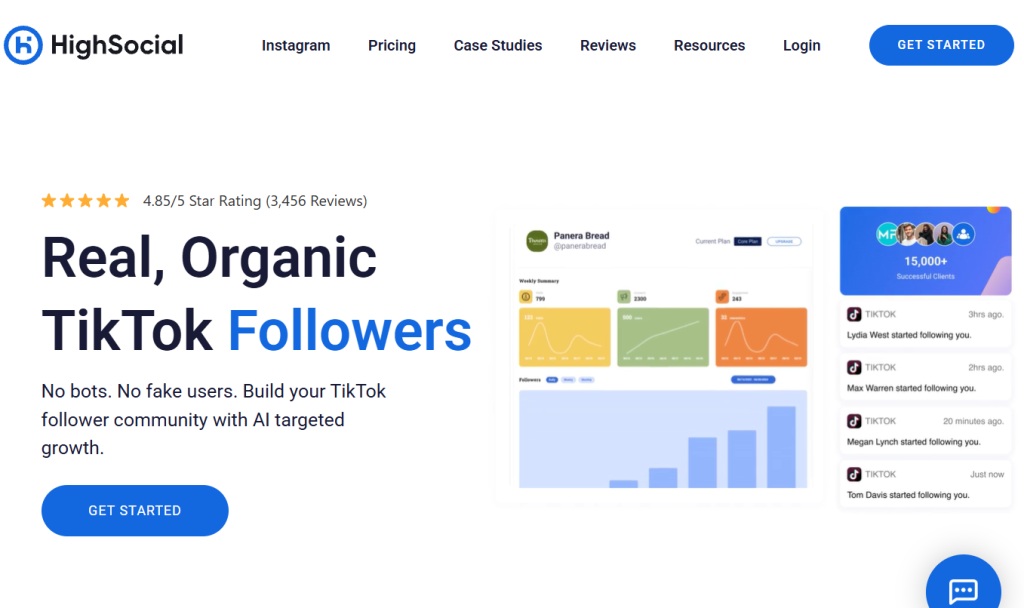
Quality matters the most. Bad services sell bots and fake views that kill engagement. Good tools bring real people who care about your topic. They watch, like, and follow.
Be careful with automation tools that promise instant virality. TikTok actively penalizes artificial engagement.
What Actually Makes a Video Boostable
Not every video deserves a boost. Some videos just don’t have the energy, and pushing them won’t help. Focus only on clips that already show signs of life.
Watch Time and Retention
TikTok cares about one thing more than anything else: how long people watch. If viewers swipe away early, TikTok stops pushing the video.
Here’s how you check it:
- Open TikTok Analytics
- Tap the video
- Look at Average watch time and Audience retention
- If people watch at least half of the video, you’re in a good spot
- If the average watch time almost matches the video length, boost it
When people stay and watch, help the video grow. When they leave early, don’t waste time or money.
Hook in the First 2 Seconds
The first 2 seconds decide everything. You can still improve the hook even after posting.
Try this:
- Add a pinned comment that creates curiosity
- Rewrite the caption so people instantly understand why they should keep watching
Let’s say your video gives a solid tip, but the start feels slow. Instead of a boring caption like “my routine”, write: “This one mistake killed my views for months.” Then pin a comment like: “Wait for the last tip – most people get this wrong.” These small changes push people to watch longer. Longer watch time gives your video a real second chance.
Mistakes That Kill a TikTok Video After Posting
When a video doesn’t perform well in the first hour, many creators panic and make quick decisions that actually hurt performance even more. Instead of boosting the video, these actions can completely stop the algorithm from testing it further.
Here are the most common mistakes to avoid:
Deleting and Reposting Immediately
This is one of the biggest mistakes.
If you delete a video within the first few hours and repost the exact same version, TikTok may recognize it as duplicate content. The second upload often performs worse because the initial data reset doesn’t guarantee a fresh push.
Instead of deleting:
- Wait at least 24 hours
- Analyze retention and watch time
- Improve the hook and repost a refined version later
A remake performs much better than a simple reupload.
Editing the Caption Too Many Times
Changing your caption once to improve clarity is fine. But editing it repeatedly within a short period can confuse TikTok’s categorization system.
TikTok uses captions to understand topic relevance. Constant changes may slow down distribution instead of helping it.
Make one strategic update with clearer keywords – then leave it alone.
Boosting Too Early
Many creators try to use TikTok Promote within the first 10–20 minutes. That’s too soon.
TikTok needs initial organic signals to understand who responds to the content. Boosting before that data appears can waste money and reduce efficiency.
Wait at least 2–4 hours. If watch time and retention look decent, then consider boosting.
Using Fake Views or Bot Services
Artificial engagement is one of the fastest ways to damage your account.
Low-quality bot views:
- Kill retention rate
- Reduce average watch time
- Send negative signals to the algorithm
TikTok’s system can detect unnatural patterns. Instead of helping your video, fake engagement can prevent future videos from reaching their full potential.
Always prioritize real audience interaction over inflated numbers.
Switching Privacy Settings Repeatedly
Some users try to “reset” performance by switching a video from public to private and back again. This does not restart the algorithm.
In many cases, it actually reduces distribution because the engagement momentum gets interrupted.
If a video is already live, it’s better to optimize around it – not toggle visibility settings.
Ignoring Retention Data
The biggest mistake of all? Not checking analytics. If viewers drop off in the first 2–3 seconds, the problem isn’t reach – it’s the hook. If retention is strong but views are low, then boosting makes sense. Data should guide your decisions, not emotion.
Final Thoughts
Boosting a TikTok video after posting is a legit strategy. In 2026, you need to do more than just upload new videos. You also need to work with content that already shows potential. Check your stats, strengthen what works, and send clear signals to the algorithm that your video deserves more reach.
When organic moves stop delivering, and you want faster results, targeted growth tools like High Social can support your strategy. They help your video reach the right audience, not just random viewers.
The key? Don’t chase instant virality. Build steady growth instead. One strong video can keep growing multiple times if you push it the smart and consistent way.
